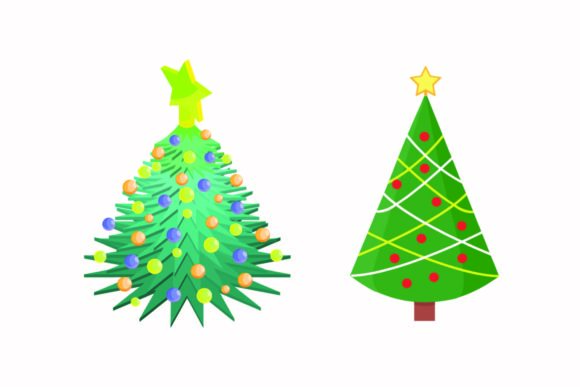
A Designer’s Take on the Christmas Shiny Tree Embroidery File
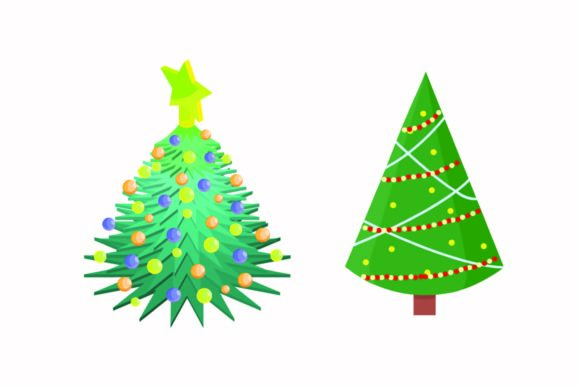
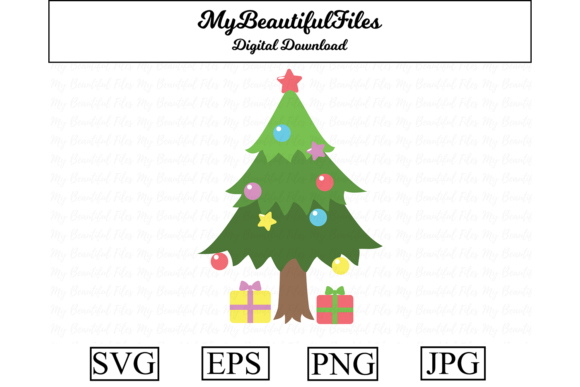
When you’re scrolling through vector graphics looking for a design to stitch, you want something that feels ready to become a physical product. The Christmas Shiny Tree Illustration Vector catches your eye not just as a graphic, but as a potential centerpiece for holiday projects. My first impression? It’s elegant and festive, with a stylized tree shape that balances classic holiday spirit with a modern, clean illustration style. The layout is straightforward—a central focal point without clutter—which tells me it’s a design meant to shine on fabric, not just on a screen.
Where This Tree Finds Its Home on Fabric
Let’s talk real use. I immediately pictured this on a cozy, heavyweight sweatshirt or a minimalist canvas tote bag. The design’s personality is giftable and boutique-ready; it doesn’t scream “novelty,” it whispers “handmade quality.” For small business owners crafting holiday lines, this vector translates beautifully into a premium embroidered product. Imagine a set of custom pillow covers for a holiday home décor collection, or a single, beautifully stitched tree on a baby’s knit beanie as a personalized gift. The illustration’s clarity suggests it would hold its own as an embroidered patch, perfect for Etsy sellers offering customizable holiday patches for jackets or bags.
For apparel decorators, the scale provided—a 1920px by 1280px canvas—gives you ample room to resize for different applications without losing core detail. This is key for commercial embroidery projects where you might be running the same design on an adult sweatshirt and a child’s tea towel. The mood it creates is one of sparkling, quiet celebration, which aligns perfectly with holiday gifts, wedding favors in December, or branded merchandise for a creative entrepreneur’s winter market stall.
Practical Stitching Considerations for the Shiny Tree
Moving from a digital file to a stitched product requires some practical thinking. The design’s strength is its illustrative shape, but those clean lines and potential for shiny accents (through clever thread choice) need careful handling on certain fabrics. On textured fabrics like a coarse knit, fine details might get lost. On stretchy fabric, a good stabilizer is non-negotiable to maintain that tree’s crisp outline. For dark fabric backgrounds, you’d need to plan thread color contrast thoughtfully—a metallic silver or bright white fill stitch for the “shiny” elements could be stunning.
I’d be cautious using this on very small hoop sizes. While the vector files (the included AI, EPS, SVG, and DXF) allow for scaling, tiny versions might condense the design elements too much, losing the visual appeal that makes it special. Similarly, on curved surfaces like caps, test a scaled version first on scrap fabric to ensure the shape adapts well to the curve without distorting. The design doesn’t appear overly dense, which is good for stitch density and fabric integrity, especially on thinner materials like linen for kitchen towels.
How This Design Elevates Your Finished Product
Using a design like the Christmas Shiny Tree Illustration Vector affects more than just the stitch; it affects perception. For customer trust and brand consistency, a clean, well-executed embroidery based on a strong vector graphic signals professionalism. It turns a simple tote bag into a desirable handmade product. The giftability skyrockets because the design is recognizably Christmas yet tastefully executed, avoiding the generic feel of some holiday graphics.
For digital product sellers offering printable mockups or using the design assets for digital previews, the quality of the source files is crucial. Having multiple vector formats means flexibility for different software, which supports a smoother workflow from design to stitched product or digital advertisement. This directly impacts buyer engagement—a clean mockup or a photo of a beautifully embroidered pillow creates a more compelling Etsy listing or craft fair display.
A Few Embroidery Designer Notes Before You Hoop
Always, always test the design on scrap fabric first. Match the fabric and stabilizer you plan to use for the final product. Check thread color contrast by reviewing the design in a simple black-and-white mockup to see how the shapes read without color. Inspect small details when you resize; the vector’s scalability is a gift, but you must confirm that fine points remain clear at your intended hoop size.
Compare how the design feels on both light and dark fabric backgrounds in your digital preview. This informs your thread palette. Crucially, confirm the licensing terms for this graphic before selling finished items or commercial embroidery projects. The product is categorized as Illustrations/Graphics, but the usage rights for physical product sales need to be clear. If exact stitch counts, machine compatibility specifics, or explicit commercial licenses aren’t provided in the listing, it’s your responsibility to seek that information or clarify with the seller.
For craft business owners, this design has the potential to become a staple in your holiday lineup—from embroidered aprons to nursery décor blankets. Its visual personality is versatile enough for both personal and commercial projects if the license permits. The key is to treat the digital file as the blueprint, and your embroidery skills as the builder. With careful planning on fabric choice, stabilizer, and thread, the Christmas Shiny Tree can transition from a shiny illustration on your screen to a sparkling, tangible product that truly feels like the holidays.